Sony PlayStation 3
Sony's third home console (2006–2017) with the Cell processor and Blu-ray, in three designs: original ("fat"), Slim and Super Slim. Still gets firmware updates and is popular to mod.
Support status
Supported by the manufacturer
Production ended in 2017, but Sony still ships the odd system update (4.93, March 2026). The PS3 PlayStation Store is open; online play depends on each game's servers, and many are shut down. The console works offline.
- Manufacturer
- Sony
- Released
- 2006
- Discontinued
- 2017
- Last official firmware
- 4.93 · 18 March 2026
- Servers
- Some features need servers
Overview
The PlayStation 3 is Sony's third home console. It launched in Japan and North America in November 2006 and in Europe, Sweden included, on 23 March 2007. It stayed in production for over ten years; the last units shipped in Japan in 2017.
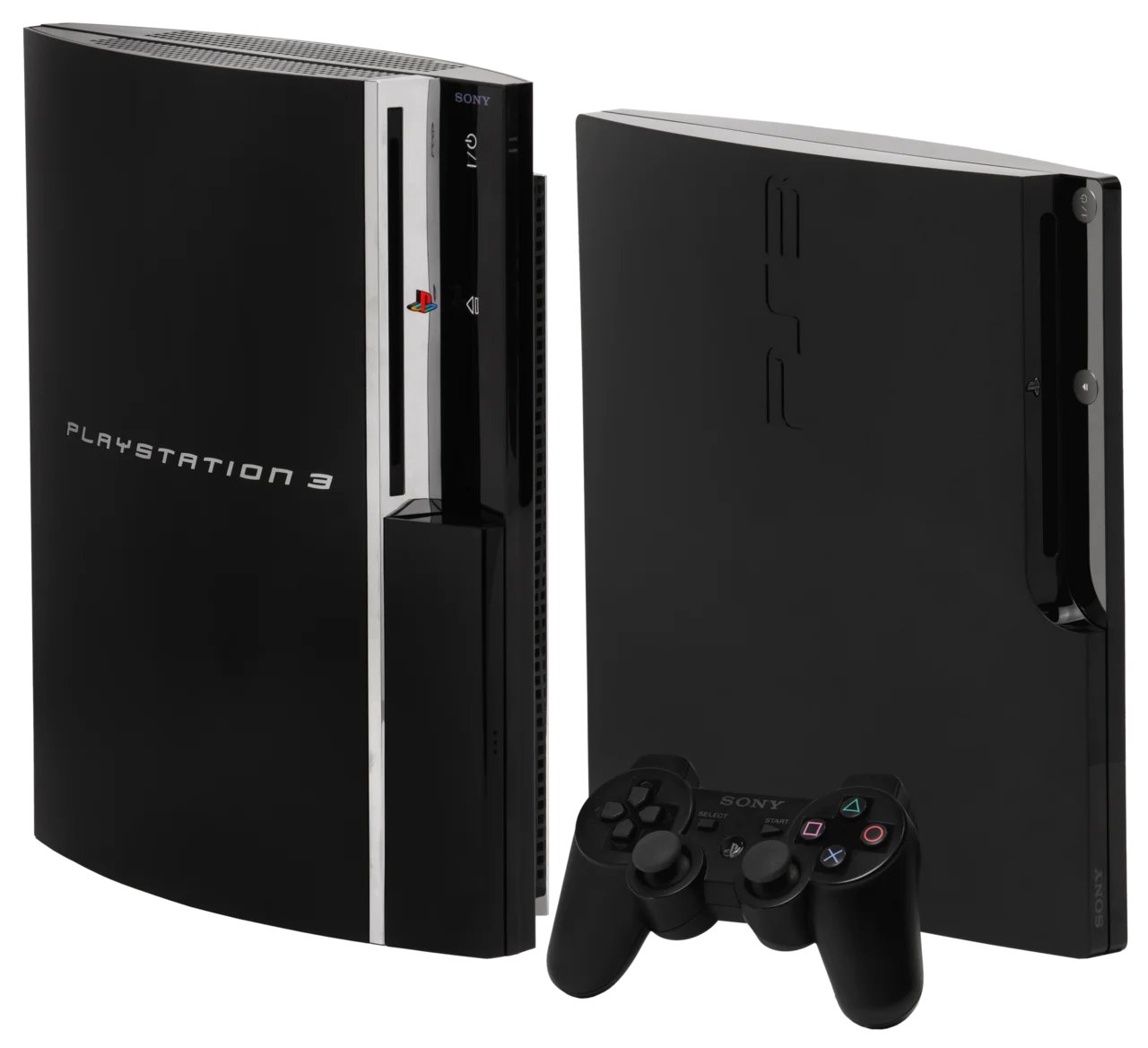
It comes in three designs:
- Original ("fat"), CECHAxx–CECHQxx (2006–2009). Big and heavy. The earliest models play PS2 games.
- Slim, CECH-20xx/21xx/25xx/30xx (2009–2012). Smaller, quieter and cooler.
- Super Slim, CECH-40xx/42xx/43xx (2012–2017). Lightest, with a sliding lid over the disc tray.
Why it matters now: the PS3 still gets the odd system update from Sony (most recently 4.93 in March 2026), the PS3 PlayStation Store is open, and it plays Blu-ray, DVD and PS1 games. It is also one of the most modded consoles around: the right models run custom firmware (CFW), every model can run homebrew through PS3HEN, and since 2026 later Slim and Super Slim models can run almost full CFW (qCFW) with a modchip.
The most common repairs are cleaning and repasting, swapping the hard drive and the Blu-ray laser, and the infamous yellow light of death (YLOD) on fat models.
See Hardware to work out which model you have.
Hardware
The core
- CPU: Cell Broadband Engine, 3.2 GHz: one PowerPC core (PPE) and eight SPEs, of which seven are enabled and six are available to games.
- GPU: Nvidia RSX "Reality Synthesizer", 550 MHz.
- Memory: 256 MB XDR (system) + 256 MB GDDR3 (video).
- Optical drive: Blu-ray/DVD/CD.
- Storage: a user-replaceable 2.5-inch SATA hard drive on every model (the 12 GB Super Slim has built-in flash instead and an empty drive bay).
The Cell and RSX were shrunk over the console's life (90 → 65 → 45 nm for the Cell, 90 → 65 → 40 nm for the RSX), which is why the Slim and Super Slim draw less power and run cooler.
Model families
| Family | Model numbers | Years | Good to know |
|---|---|---|---|
| Original ("fat") | CECHAxx–CECHQxx | 2006–2009 | CECHA/CECHB: PS2 in hardware. CECHC/CECHE: partial PS2 in software. CECHG and later: no PS2. Four USB ports on early models, two on later ones. |
| Slim | CECH-20xx, 21xx, 25xx, 30xx | 2009–2012 | No PS2. No OtherOS (Linux). |
| Super Slim | CECH-40xx, 42xx, 43xx | 2012–2017 | No PS2. Top-loading drive with a sliding lid. The 12 GB model needs a mounting bracket (CECH-ZCD1) for a hard drive. |
The letter after the digits on a Slim/Super Slim model number gives the storage (e.g. CECH-2004A = 120 GB, CECH-4004C = 500 GB). The digits after the letters on a fat model give the region (e.g. CECHC04 = Europe/PAL).
How to identify your model
- Turn the console around: the model number is on the label on the back, for example "CECHC04" or "CECH-2504B".
- On the Slim and Super Slim it is also on the sticker next to the serial number.
- Settings → System Settings → System Information shows the system software version (but not the model number).
- Compare the number with the table above or PSDevWiki: SKU Models.
For a CECH-25xx the model number alone does not tell you whether it can run CFW. See Jailbreak.
Software & firmware
Official firmware
The PS3 runs Sony's system software with the XMB menu. The latest version is 4.93, released on 18 March 2026, one year after 4.92. Sony only describes it as improving system performance; recent updates mainly renew the Blu-ray encryption keys so new films keep playing.
Get the update from Sony's official page or through Settings → System Update → Update via Internet.
Updating via USB: format a USB stick as FAT32, create the folder PS3/UPDATE/ and save the file there as PS3UPDAT.PUP. Then choose Settings → System Update → Update via Storage Media.
Note: if you want to run CFW or PS3HEN, don't install official firmware blindly. See Jailbreak.
What still works
- PlayStation Store: open. Sony planned to close the PS3 store in 2021 but reversed the decision after criticism. Purchased games can be downloaded again.
- PSN sign-in, trophies and cloud saves (PS Plus): work.
- Online play: depends on each game's servers. Many publishers have shut theirs, so check the game you care about.
- Offline: discs, downloaded games, Blu-ray films and media all work without a network.
What is gone
- OtherOS (Linux) was removed from fat models in firmware 3.21 (2010) and never existed on the Slim.
- PlayStation Home closed in 2015.
- Several streaming apps have disappeared from the console.
Jailbreak & mods
There are three routes, and which ones you can take depends on the model.
CFW (custom firmware)
CFW replaces Sony's firmware permanently and gives full control: homebrew, backups of your own games, fan control, debug features. It needs the console to have the old hardware keys, i.e. to be able to run firmware 3.55.
| Model | CFW? | Alternative |
|---|---|---|
| All fat models (CECHAxx–CECHQxx), NOR and NAND | Yes | – |
| Slim CECH-20xx and CECH-21xx | Yes | – |
| Slim CECH-25xx | Only early units (minimum firmware ≤ 3.56) | PS3HEN or qCFW |
| Slim CECH-30xx | No | PS3HEN or qCFW |
| Super Slim CECH-40xx/42xx/43xx | No | PS3HEN or qCFW |
Is your CECH-25xx compatible? Run MinVerChk: a harmless "update" that aborts and shows the lowest installable firmware. If it says 3.56 or lower, the console can run CFW. The date code on the label (e.g. 0A, 0C) gives a hint, but the lists disagree, so trust MinVerChk.
On a compatible console, CFW is usually installed today by first patching the flash (NOR or NAND) with the PS3Xploit tools from the console's web browser, then installing CFW like a normal update. Always dump (back up) the flash first and check the dump. A bad write can brick the console.
PS3HEN (Homebrew Enabler)
PS3HEN works on every model, including the Slim 30xx and the Super Slim. It installs from the browser via ps3xploit and needs Hybrid Firmware (HFW) matching the latest official version (HFW 4.93.1 for 4.93). PS3HEN 3.5.0 and later support 4.93.
HEN is not permanent like CFW: it is loaded from the XMB ("Enable HEN") and has to be enabled again after a restart. With HEN you can run homebrew such as webMAN MOD, install packages and play backups of your own games.
qCFW with the BadWDSD modchip
For models that can't run regular CFW there has been qCFW (quasi custom firmware) since January 2026. It gives almost full CFW (everything except dumping eid_root_key) with the help of BadWDSD, a modchip built on a Raspberry Pi Pico and soldered to the motherboard. Supported: every 25xx and 30xx Slim, and 4xxx Super Slims with NOR or eMMC flash. It needs advanced soldering. Read Modda's qCFW guide before you start.
Good to know
- Don't update to plain official firmware if you want HEN. Use HFW. Official firmware on a CFW console overwrites the CFW.
- Don't enable Factory Service Mode or install CCAPI with PS3HEN.
- Playing online on a modified console can get you banned from PSN.
- Modda never shares firmware or games. Only use backups of games you own.
Recovery & unbrick
Recovery Mode
The PS3's equivalent of a "safe mode" is called Recovery Mode and exists on every model. To get in (PSDevWiki: Recovery Menu):
- The console must be in standby (red light).
- Hold the power button until the console turns on and then off again. Release.
- Hold the power button again. You hear one beep and then two quick beeps. Release after the two.
- Connect the controller with a USB cable and press the PS button.
The menu has seven options, from least to most drastic:
- Restart System – a normal restart.
- Restore Default Settings – resets settings (network, video etc.); saves are kept.
- Restore File System – repairs the file system on the drive. Try this first if the console won't boot.
- Rebuild Database – rebuilds the database. Games and saves are kept, but messages, playlists and video history are lost. Good for missing or corrupt entries.
- Restore PS3 System – formats the drive. All data is erased. Last resort.
- System Update – reinstalls firmware from USB (
PS3/UPDATE/PS3UPDAT.PUP). - Change System Storage (newer firmware) – switches the storage device.
Reinstalling firmware
If the console hangs at boot or after an interrupted update: put the latest official PS3UPDAT.PUP (or HFW if you run HEN) on a FAT32 USB stick under PS3/UPDATE/, enter Recovery Mode and choose 6. System Update. You can't downgrade official firmware this way.
New hard drive
After a drive swap the PS3 boots and asks for the system software. Install it from USB the same way.
Bricked CFW console
If the console doesn't start at all after a failed flash, only a hardware programmer and the dump you hopefully took beforehand will help. Without a dump it is hard. Ask on the forum before doing anything else.
Repair & parts
Common faults
Yellow light of death (YLOD) on fat models. The console beeps, the light flashes yellow and then red. It mostly hits the CECHA–CECHE models, but any fat can get it. The usual cause is the power delivery to the Cell/RSX: aged NEC/TOKIN capacitors on the board, or cracked solder under the chips.
- A reflow (heating the board with hot air or in an oven) is a temporary fix. It often gets the console booting for weeks or months and can damage the board. Avoid the oven.
- Better: replace the NEC/TOKIN capacitors with tantalum capacitors, which needs SMD soldering skills. If the RSX itself is dead that won't help; then it needs a reball or a new chip at a repair shop.
- Read the error code with a syscon reader or ask on the forum before buying parts.
Overheating and a loud fan. Dried thermal paste and dust are the most common cause on every model.
- Clean the fan and heatsink with compressed air (hold the fan still).
- Replace the thermal paste. On fat models and early Slims there is also paste under the metal lids (IHS) of the Cell and RSX; removing the lids ("delidding") helps most but is risky.
The Blu-ray drive won't read discs. Usually a worn laser. Lasers are model-specific:
- KES-400A: early fat (CECHA/B/C/E).
- KES-410A: later fat (CECHG–CECHQ).
- KES-450A / KES-460A: Slim (depending on model).
- KES-850A (also 451A): Super Slim. Always check the label on the old laser. The Blu-ray drive's controller board is paired to the motherboard, so replace the laser and keep your own drive board.
The hard drive dies or is too small. Every model takes a standard 2.5-inch SATA drive (9.5 mm height is fine). Swap the drive and install firmware from USB (see Recovery). Back up first via Settings → System Settings → Backup Utility. The 12 GB Super Slim needs the CECH-ZCD1 mounting bracket.
Tools
- Torx T8/T10 and a Phillips screwdriver (fat models have a hidden screw under the warranty sticker).
- Compressed air, isopropyl alcohol, thermal paste.
- For capacitor replacement: a hot-air rework station.
iFixit has good teardown guides for the PS3, Slim and Super Slim.
Revisions
Find your revision by its model number (usually on a label under or behind the device).
| Model | Model number | Made | Jailbreak | From |
|---|---|---|---|---|
| Sony PlayStation 3 (original "fat", CECHAxx–CECHQxx) Every fat model can run CFW. CECHA/B: PS2 in hardware. | CECHAxx–CECHQxx | 2006–2009 | Yes | – |
| Sony PlayStation 3 Slim (CECH-20xx/21xx/25xx/30xx) 20xx/21xx and early 25xx (minver ≤ 3.56): CFW. Other 25xx and 30xx: PS3HEN or qCFW with a modchip. | CECH-20xx, CECH-21xx, CECH-25xx, CECH-30xx | 2009–2012 | Partial | – |
| Sony PlayStation 3 Super Slim (CECH-40xx/42xx/43xx) No regular CFW. Homebrew via PS3HEN, or qCFW with the BadWDSD modchip. | CECH-40xx, CECH-42xx, CECH-43xx | 2012–2017 | Partial | – |
Spare parts
Parts that fit. The note says which revisions they fit.
Guides
Links and resources
Modda hosts no files. Links go to the source, and to an archived copy where the original may disappear.
Official
- PS3 system software update (Sony)Archived copy
Official firmware 4.93 and USB update instructions.
- PS3 systemprogramvara (Sony, svenska)
Sony's Swedish system update page.
Source code
- BadWDSD / qCFW (GitHub)
Modchip and qCFW for the Slim 25xx/30xx and Super Slim. Official docs and releases.
- PS3HEN (PS3Xploit, GitHub)Archived copy
Source for the Homebrew Enabler, works on every model.
Documentation & datasheets
- PSDevWiki: SKU ModelsArchived copy
Every PS3 model, date codes and hardware differences.
- PSDevWiki: Recovery MenuArchived copy
How to enter Recovery Mode and what each option does.
- iFixit: PlayStation 3 repairArchived copyFor Sony PlayStation 3 (original "fat", CECHAxx–CECHQxx) (CECHAxx–CECHQxx)
Teardown and repair guides for fat models.
- iFixit: PlayStation 3 Slim repairArchived copyFor Sony PlayStation 3 Slim (CECH-20xx/21xx/25xx/30xx) (CECH-20xx, CECH-21xx, CECH-25xx, CECH-30xx)
Guides for the Slim (CECH-20xx–30xx).
- ConsoleMods: PS3HEN guideArchived copy
Step by step: HFW and PS3HEN.
Forum thread
- PSX-Place: PS3HEN official release threadArchived copy
Official thread with version history (3.5.0 supports 4.93).
Tool
- ConsoleMods: MinVerChk (CFW compatibility check)Archived copyFor Sony PlayStation 3 Slim (CECH-20xx/21xx/25xx/30xx) (CECH-20xx, CECH-21xx, CECH-25xx, CECH-30xx)
Shows the lowest installable firmware. 3.56 or lower = CFW possible. Key for the CECH-25xx.
- webMAN MODArchived copy
Homebrew plugin for CFW and PS3HEN: fan control, web UI, file management.
Photos
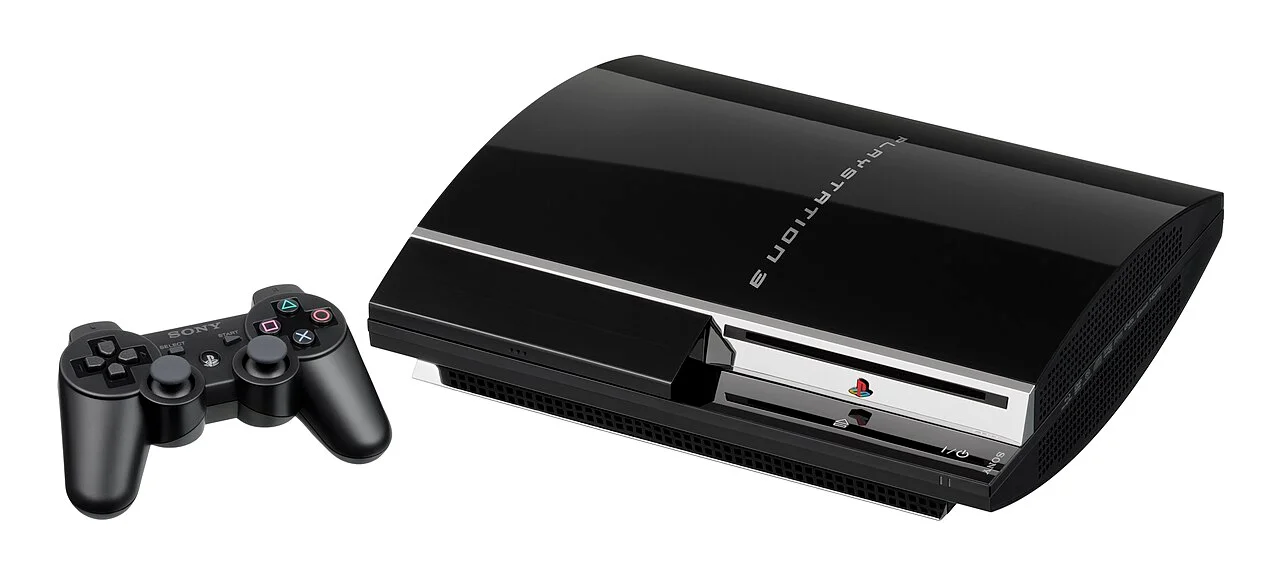
Original PS3 ("fat", CECHA01) with a Sixaxis controller. Glossy black front with four USB ports on early models. Photo: Evan-Amos, Wikimedia Commons (public domain). · Sony PlayStation 3 (original "fat", CECHAxx–CECHQxx) (CECHAxx–CECHQxx) 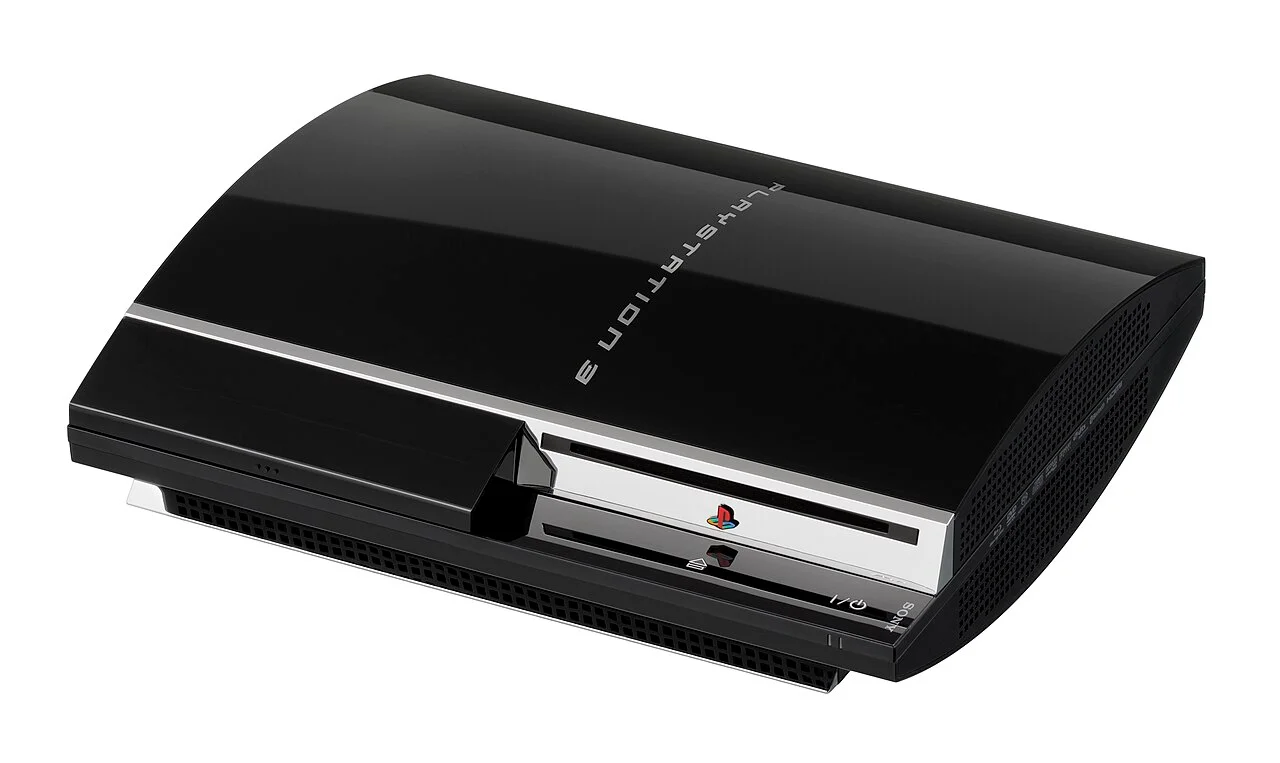
Fat PS3 (CECHA01) from the front left. Photo: Evan-Amos, Wikimedia Commons (public domain). · Sony PlayStation 3 (original "fat", CECHAxx–CECHQxx) (CECHAxx–CECHQxx) 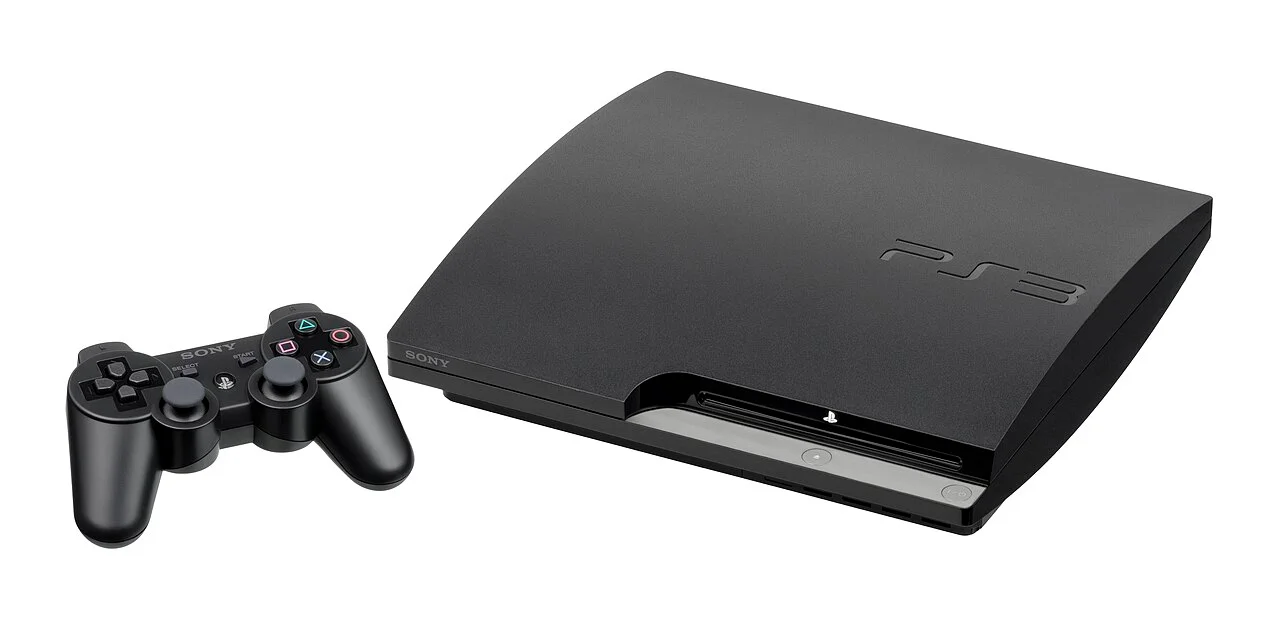
PS3 Slim (CECH-2001A) with a DualShock 3. Matte case and a PS3 logo instead of the Spider-Man font. Photo: Evan-Amos, Wikimedia Commons (public domain). · Sony PlayStation 3 Slim (CECH-20xx/21xx/25xx/30xx) (CECH-20xx, CECH-21xx, CECH-25xx, CECH-30xx) 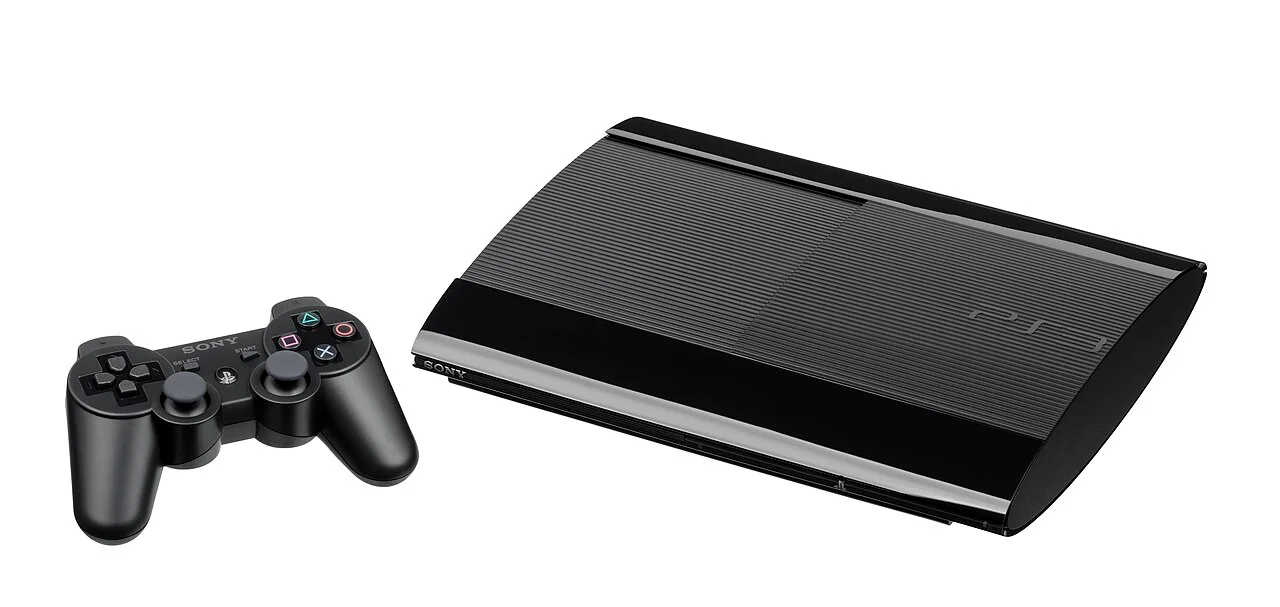
PS3 Super Slim (CECH-4001B) with a DualShock 3. The disc drive sits under a sliding lid on top. Photo: Evan-Amos, Wikimedia Commons (public domain). · Sony PlayStation 3 Super Slim (CECH-40xx/42xx/43xx) (CECH-40xx, CECH-42xx, CECH-43xx) 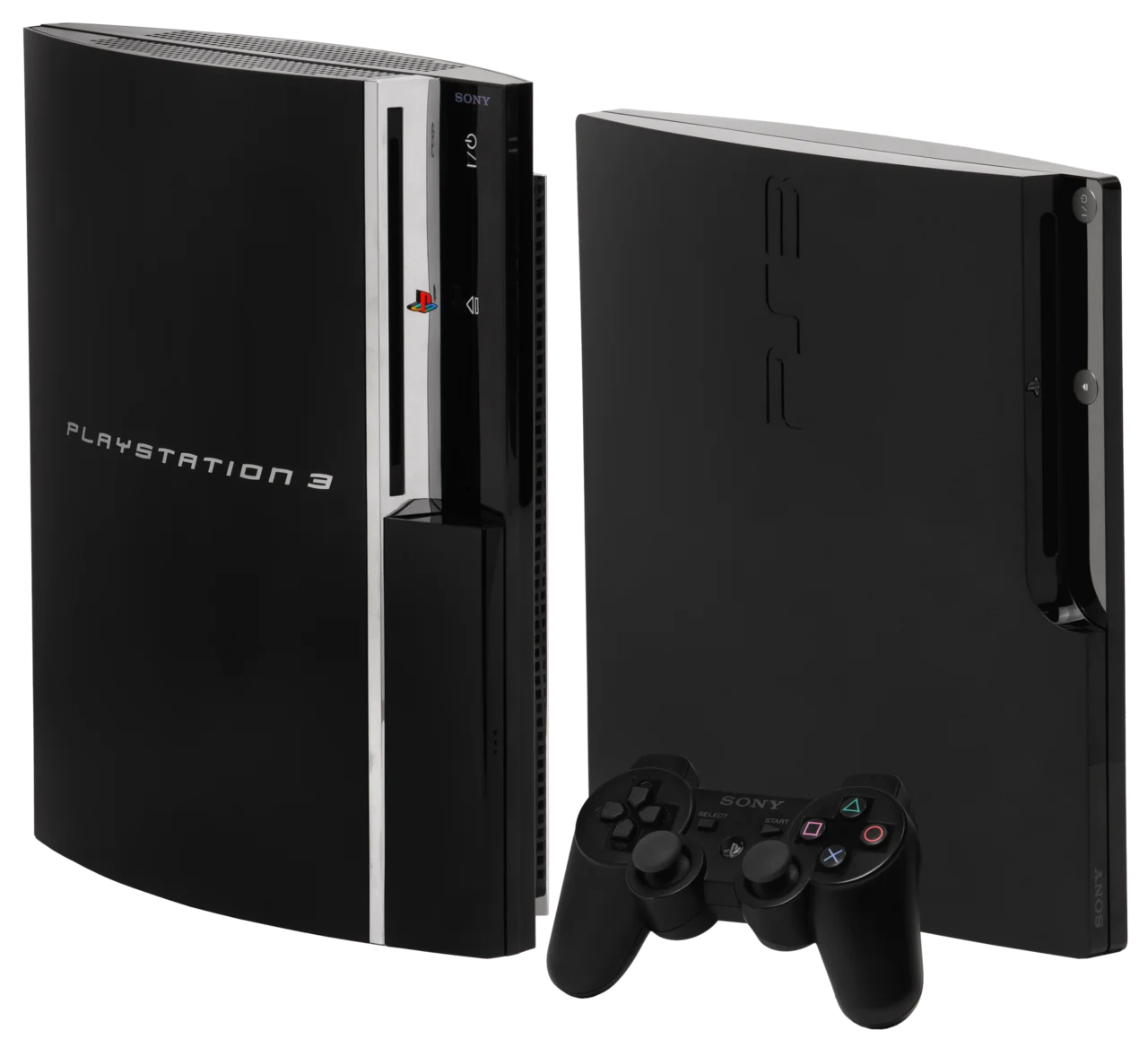
The three designs side by side: original, Slim and Super Slim. Image: Wikimedia Commons (public domain, photos by Evan-Amos).
Updated 1 November 2026