Cheap Raspberry Pi Pico becomes RCM injector for Nintendo Switch
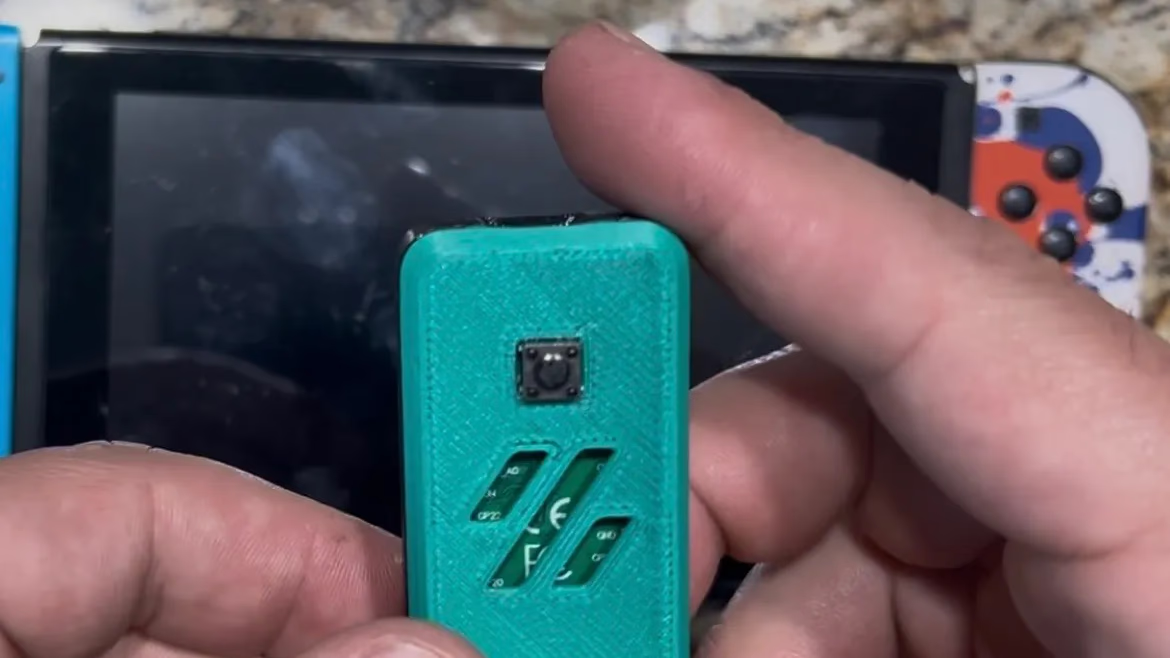
Now anyone can build their own RCM injector for Nintendo Switch using a Raspberry Pi Pico for under $2 and a button cell battery. GitHub user Blintox has released the code that makes it possible to inject payloads on the go, even without an Android device.
This is the cheapest method to date for injecting payloads, which are required to run custom code on the Switch. The project is based on a Raspberry Pi Pico with the RP2040 chip and utilizes USB host mode to detect and send RCM payloads. The code is open source and published on GitHub.
The instructions are simple: flash a .uf2 file to the Pico, power it via VSYS and Ground (which can be powered by a simple button cell battery), put your Switch in RCM mode, and then connect it to the powered Pico via USB-C. The Pico should then indicate that it is injecting the payload. After delivery, disconnect the Pico. It is recommended not to disconnect the battery before the payload has been fully injected, as this may make the console seem "bricked" – a 20-second power cycle will resolve the issue.
A more advanced variant, costing around $6-7 to build, uses a rechargeable LiPo battery and a 3D-printed module to inject the payload at the press of a button. The project is similar to fusee-alpestre but is a standalone, bare-metal implementation developed with Pico SDK and TinyUSB.